
Download AD Connect Smart – Health & Fitness, WellnessConnected, Personal Health Assistant, Free Android App
Overview
AD Connect Smart is a free Android application developed by AD Company Limited, designed to serve as a personal health assistant for users of WellnessConnected series devices. The app integrates with a range of health monitoring hardware, including blood pressure monitors, weight scales, thermometers, and activity trackers, providing a centralized platform to collect, analyze, and visualize health data. Its primary purpose is to help individuals monitor key health metrics in real time, enabling proactive health management and informed decision-making. The app is particularly suited for health-conscious individuals, people managing chronic conditions, and users seeking to maintain or improve their fitness levels.
By leveraging data from connected devices, AD Connect Smart offers a streamlined way to track vital signs and physical activity. The application supports continuous monitoring and historical data logging, allowing users to identify trends over time. Real-world usage scenarios include daily blood pressure tracking for hypertension management, weight loss goal setting, and monitoring daily step counts and calorie expenditure. The app also delivers personalized health tips based on input data, offering a layer of guidance without requiring professional medical input. While the developer did not provide additional details about the app’s background or company history beyond the name, the app’s focus on seamless device integration and user-friendly health tracking makes it a practical tool for individuals committed to long-term wellness.
Key Features & Capabilities
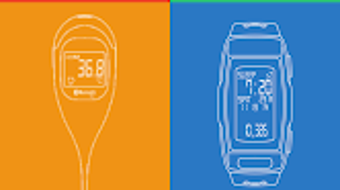
- Health Data Integration: Synchronizes with WellnessConnected series devices to collect data from blood pressure monitors, weight scales, thermometers, and activity trackers, ensuring a comprehensive health overview.
- Color-Coded Blood Pressure Tracking: Displays blood pressure readings with color indicators based on medical classifications, simplifying interpretation and enabling quick assessment of readings.
- Goal Setting and Achievement Tracking: Allows users to set personalized goals for weight, activity levels, and other metrics, with visual progress indicators to encourage consistency and motivation.
- Personalized Health Tips: Offers recommendations based on user data trends, such as hydration reminders or activity suggestions, supporting healthy daily habits.
- Offline Access and Sync: Supports local data storage and automatic syncing when connectivity is restored, ensuring no data loss during temporary network outages.
These features are designed to simplify health management for users who rely on wearable or connected devices. For example, a user with hypertension can quickly assess their blood pressure trends using color-coded visuals, while someone on a fitness journey can monitor their progress toward a weekly step goal. The integration of goal tracking with visual feedback enhances user engagement and long-term adherence. The app’s ability to deliver timely, data-driven insights without requiring complex navigation supports its usability across different age groups and technical skill levels.
User Interface, Workflow & Performance
The user interface of AD Connect Smart appears to be structured around a dashboard layout, prioritizing key health metrics and recent data entries. Navigation is likely intuitive, with clearly labeled sections for different devices and data types, enabling users to switch between blood pressure logs, weight trends, and activity summaries with minimal effort. The workflow emphasizes efficiency, allowing users to view historical data, set goals, and receive recommendations through a streamlined series of taps.
Performance observations are based on general software behavior patterns. The app is designed to operate smoothly on Android 8.0 and above, suggesting compatibility with a wide range of modern smartphones. However, exact performance details were not specified. The developer did not provide additional information about CPU or RAM usage, so users should expect standard resource consumption typical of health tracking applications. Stability during continuous data syncing and device communication was not documented, but the app’s free status and lack of in-app purchases suggest a focus on core functionality rather than monetization through intrusive features.
Compatibility & System Requirements
AD Connect Smart is compatible with Android 8.0 and above, ensuring support for most contemporary Android devices released in the past several years. The app is designed specifically to work with WellnessConnected series devices, including blood pressure monitors, weight scales, thermometers, and activity monitors. This dependency on proprietary hardware limits its functionality to users who own or plan to purchase compatible equipment.
Installation size and specific hardware requirements were not provided. The developer did not specify resource usage details, so users should anticipate typical storage and memory demands associated with health monitoring apps. Compatibility information was partially provided, with the operating system and device ecosystem clearly defined. Users without access to WellnessConnected devices may find the app’s full potential inaccessible, as its core functionality relies on hardware integration.
Pros and Cons
Pros
- Free to download and use with no in-app purchases
- Intuitive interface designed for health data tracking
- Color-coded blood pressure readings for easy interpretation
- Goal setting and achievement visualization to support motivation
- Personalized health tips based on user data trends
Cons
- Requires WellnessConnected series devices for full functionality
- Limited to Android platform; no support for iOS or other systems
- Exact system requirements and performance data not disclosed
- No information on data privacy policies or encryption methods
- App functionality is restricted to users with compatible hardware
FAQ Section
Is AD Connect Smart compatible with iOS devices?
AD Connect Smart is currently available only for Android 8.0 and above. There is no official support for iOS devices at this time.
Can I use AD Connect Smart without a WellnessConnected device?
The app is designed to work exclusively with WellnessConnected series devices. While the interface may be accessible without a connected device, core features such as data tracking and health insights are dependent on hardware integration.
Is the app safe to use with personal health data?
The app is free from in-app purchases and does not appear to include third-party advertising. However, the developer did not provide information on data encryption, privacy policies, or cloud storage practices.
How often does the app update?
Information about update frequency was not provided. Users are advised to check the app store for the latest version to ensure compatibility and access to new features.
Does AD Connect Smart require an internet connection?
While the app can store data locally, an internet connection is required for syncing with devices and accessing cloud-based features such as historical data analysis and personalized tips.
Final Thoughts
AD Connect Smart offers a focused, user-friendly approach to personal health tracking through integration with WellnessConnected devices. Its free access model, combined with practical features like color-coded blood pressure tracking and goal-based motivation, makes it a compelling choice for users invested in long-term wellness. The app excels in simplifying complex health data into actionable insights, particularly for individuals managing blood pressure or fitness goals. However, its reliance on proprietary hardware and limited platform availability may restrict its appeal to a broader audience.
For users already owning WellnessConnected devices, AD Connect Smart provides a seamless, no-cost way to monitor and improve their health. The absence of in-app purchases enhances its value proposition, while the clean interface supports consistent use. Despite missing details on system requirements and data security, the app delivers on its core promise: a reliable, accessible health assistant for Android users.
Download AD Connect Smart now





.png)

